The most useful distinction is not whether an app uses the word privacy. It is where financial data is stored, whether an account is required and what non-financial information still leaves the device.
Reviewed 12 September 2026 · Headway is available for iPhone
Privacy model at a glance
Question
Headway
Brim
Actual Budget
Financial data
Designed to remain on the device
Stored locally; optional iCloud sync
Local-first; optional encrypted sync through a server
Account required
No
Yes, for cross-device onboarding and settings
No commercial cloud account for local use
Bank connection required
No
No
No; optional bank sync is available with server setup
Analytics
Privacy disclosure is being finalised for App Store review; financial values are not intended for analytics
Anonymous usage analytics; no financial amounts
Project states that it does not automatically collect data
Best fit
Simple, no-account budgeting
Polished Apple-native budgeting with iCloud sync
Open-source control and self-hosting
What to check before choosing
Financial data storage
Local storage reduces exposure to a budgeting company’s servers, but device backups and optional sync still matter.
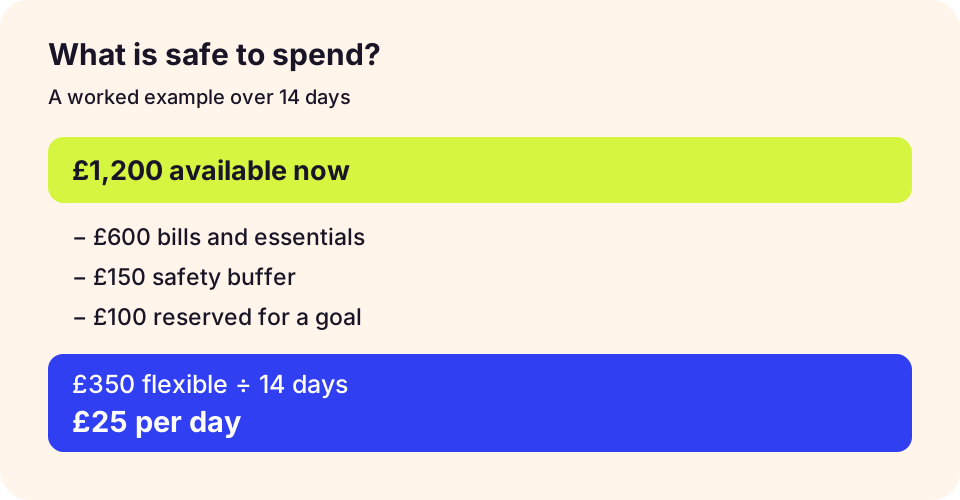
An illustrative planning example, not a forecast or a guarantee.
Check the workflow before choosing
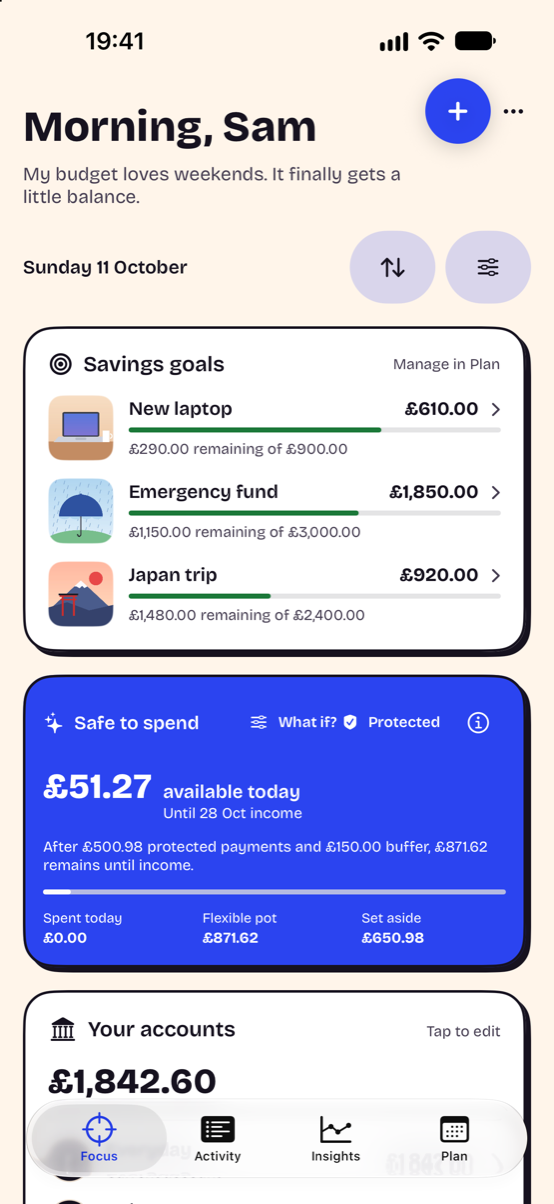
Try one full pay cycle with a starting balance, upcoming bills and a goal. Record a purchase, then check whether you understand the changed spending estimate. Headway’s screenshot uses demonstration data and does not show another app’s interface.
Headway Focus combines goals and a daily spending guide. Demonstration data from Headway 1.0 on iPhone; appearance can be customised.