Manual budgeting gives up some automation in exchange for more control. These options can be used without a continuous Open Banking or bank-feed connection.
Reviewed 12 September 2026 · Headway is available for iPhone
Three different approaches
Feature
Headway
Brim
Actual Budget
Bank feed needed
No
No
No; optional with server setup
Account needed
No
Yes
No for local use
Adding transactions
Manual entry, Siri actions and planned payments
Manual entry, CSV import, Shortcuts and Apple Pay automation
Manual entry and file import; optional bank sync
Offline use
Designed for on-device use
Provider states it is fully offline
Local-first
Distinctive strength
Safe-to-spend, planned bills and low-barrier entry
Fast Apple-native capture and iCloud sync
Open source, reporting and self-hosted sync
When manual budgeting works well
You want to plan before spending
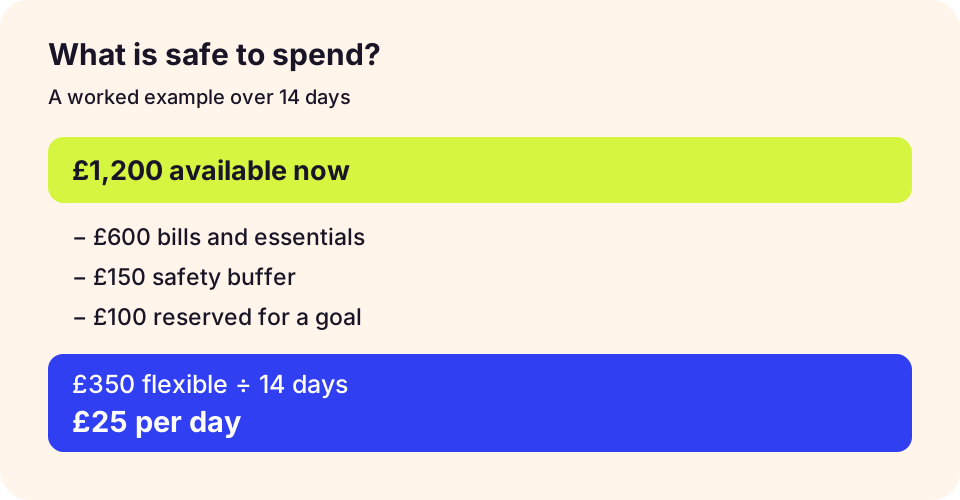
Manual tools make the budget itself the starting point rather than waiting for transactions to be imported.
An illustrative planning example, not a forecast or a guarantee.
Check the workflow before choosing
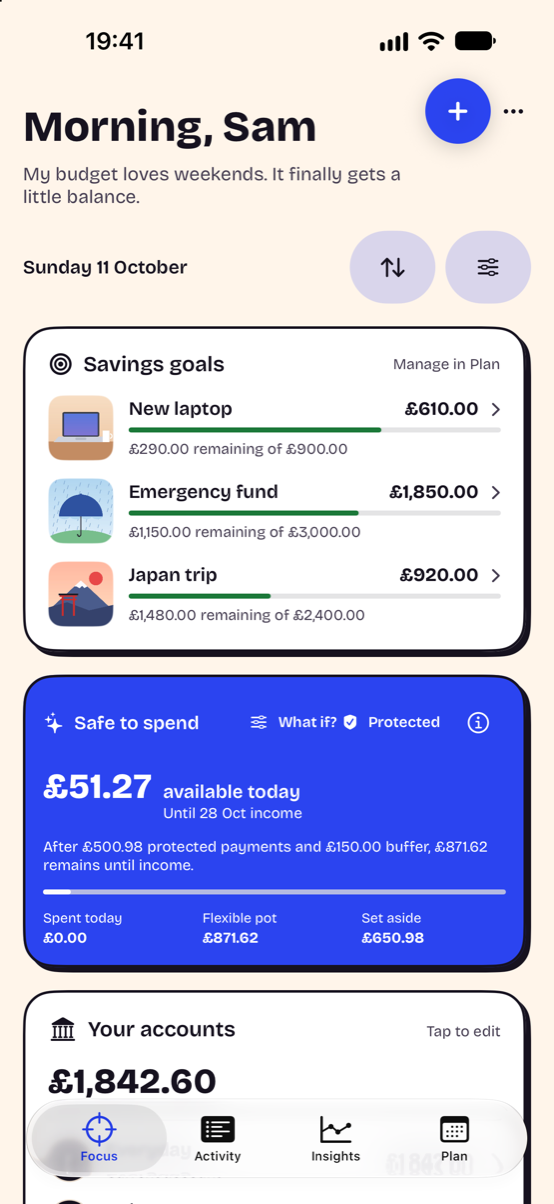
Try one full pay cycle with a starting balance, upcoming bills and a goal. Record a purchase, then check whether you understand the changed spending estimate. Headway’s screenshot uses demonstration data and does not show another app’s interface.
Headway Focus combines goals and a daily spending guide. Demonstration data from Headway 1.0 on iPhone; appearance can be customised.
“Without a bank connection” does not necessarily mean “without an account,” “without analytics” or “only on your device.” Check each privacy policy separately.