Start with the decision you want to make
If your main question is what you can spend before payday, start with a safe-to-spend plan. If you need automatic reconciliation across many institutions, check bank-import support instead. A longer feature list does not help if the everyday workflow is harder to maintain.
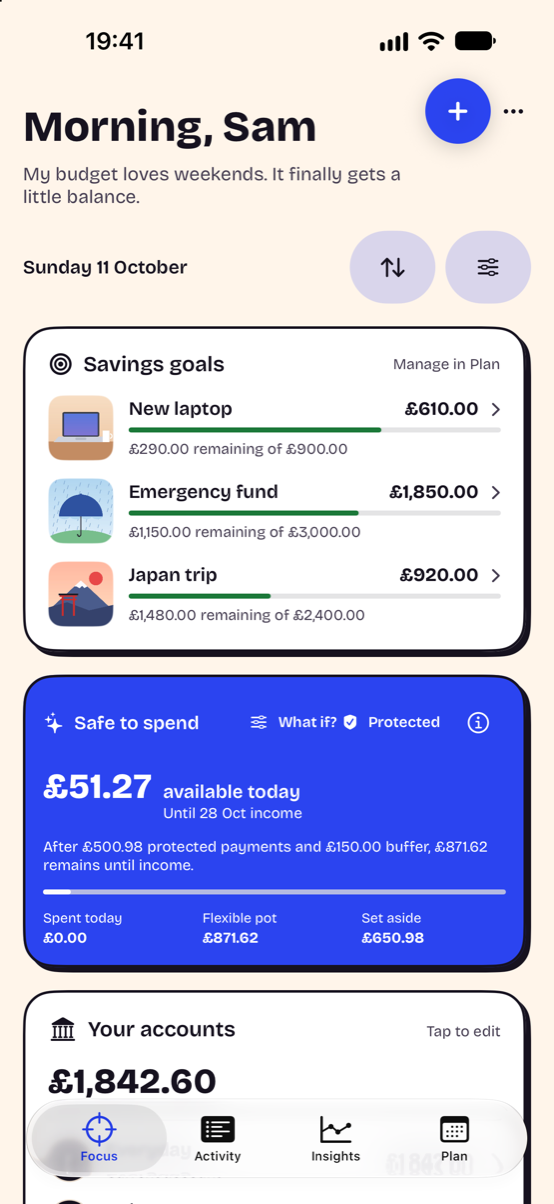
Use Focus for today’s picture
Focus brings together Safe to Spend, account balances, goals and upcoming payments. Start by entering a realistic account balance, the next income date and bills due before it. Reserve a buffer before interpreting the remaining money as flexible.
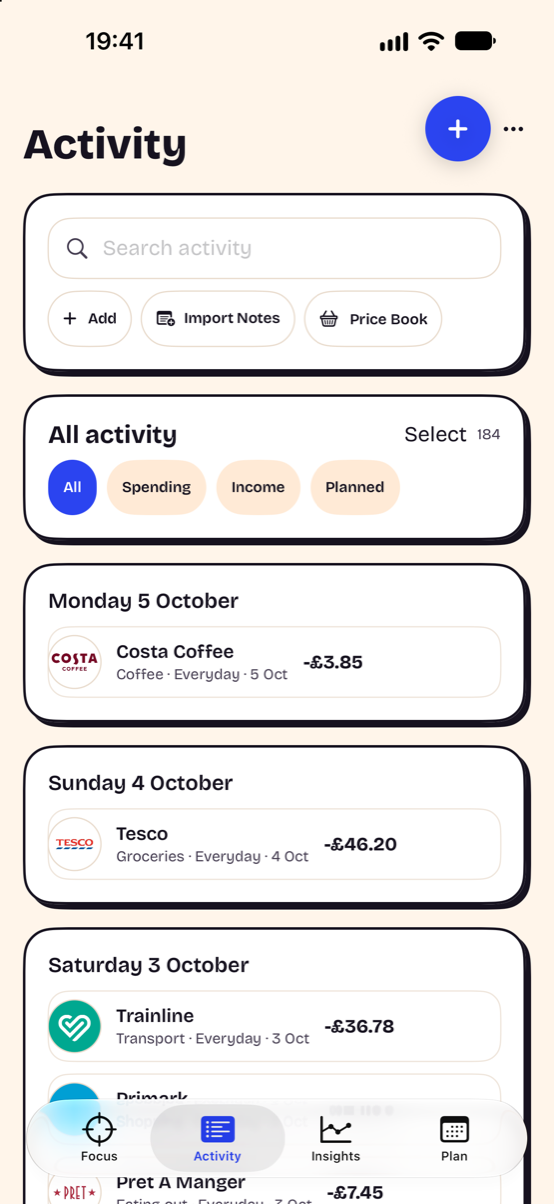
Use Activity to capture and review spending
Quick Add opens transaction entry. Activity is the history surface where you can review what you have recorded. Wallet Automation, Siri, receipt capture, screen capture and voice can reduce typing where supported, but review captured amounts and dates before saving.
Use Plan for commitments and goals
Record planned bills, recurring subscriptions and savings goals so that tomorrow’s commitments are visible before you spend today. A subscription record or cancellation link does not itself cancel a contract: complete cancellation with the provider and check confirmation.
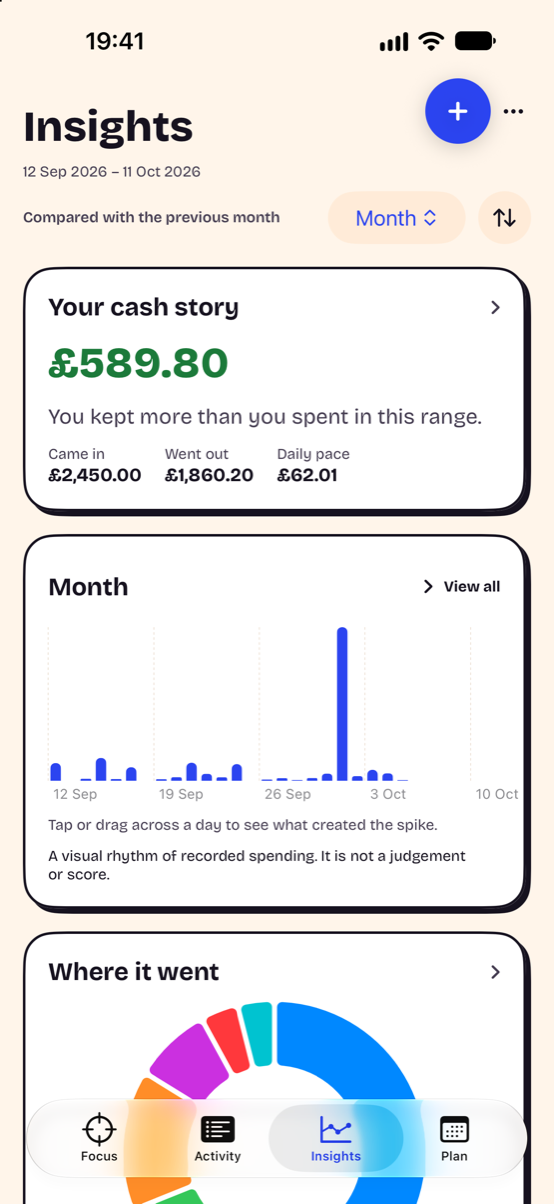
Use Insights to understand patterns
Insights summarises the transactions you have entered. Its cash story and category views help you review a period, but missing or duplicated transactions can change the result. Treat a chart as a prompt to inspect the history rather than as a complete bank statement.
Which iPhone features should you check?
Check Siri and Shortcuts support, permission prompts, text sizing and whether the controls remain clear with your chosen appearance. Wallet automations are created in Apple Shortcuts and do not give an app access to general bank notifications or complete Wallet history. Apple’s Shortcuts guide explains the automation framework.
How much does Headway cost?
The current Headway 1.0 release is free and has no active paywall or in-app purchase. Availability is shown on the homepage. A later purchase offering would need its own published terms; an old planned subscription price should not be treated as the current price.
How this guide was prepared
The screenshots use demonstration data from Headway 1.0 on iPhone. The feature descriptions come from the current app and are written by its maker, Nathan James. Your appearance, permissions and entries affect what you see. This is an explanation of Headway, not an independent ranking of every budgeting app.
Keep planning
Try the safe-to-spend calculator, read how safe-to-spend budgeting works, explore private budgeting or compare Headway and YNAB.