Written by Headway’s maker. This comparison uses published product information checked on . We have not claimed hands-on testing of Plum.
What is the main difference between Headway and Plum?
Headway helps you maintain a manual safe-to-spend plan on your iPhone. Plum connects to financial accounts and combines money management with automated saving and optional financial products.
| Question | Headway | Plum |
|---|---|---|
| Best fit | People who prefer to enter the financial information they choose and want a daily spending guide without opening or linking another financial account. | People who want automated saving rules, connected-account spending information and the option to use Plum’s saving or investment products. |
| Bank connection | Not required | Plum uses connected financial-account information for features such as spending insights and saving automation. |
| Manual entry | Supported | Plum is not positioned as a manual-first replacement for connected-account tracking; check whether the specific feature you need works without a supported connection. |
| Platforms | iPhone and an optional temporary browser snapshot | Plum publishes mobile apps for iPhone and Android; product availability varies by country and plan. |
| Price | See Headway’s current pricing page | Plum lists UK Basic as free and paid Plus, Boost and Max subscriptions at £3.99, £7.99 and £14.99 a month for eligible newer UK users. Legacy users can see different plan names and prices. |
| Trial | Not required to use the free version | A free Basic tier is available. Paid trials and promotional offers can vary, so confirm the offer and renewal price shown in the app. |
Who is Headway best for?
People who prefer to enter the financial information they choose and want a daily spending guide without opening or linking another financial account.
Who is Plum best for?
People who want automated saving rules, connected-account spending information and the option to use Plum’s saving or investment products.
How do bank connections and manual entry compare?
Plum uses connected financial-account information for features such as spending insights and saving automation. Plum is not positioned as a manual-first replacement for connected-account tracking; check whether the specific feature you need works without a supported connection.
How do pricing and trials compare?
Plum lists UK Basic as free and paid Plus, Boost and Max subscriptions at £3.99, £7.99 and £14.99 a month for eligible newer UK users. Legacy users can see different plan names and prices. A free Basic tier is available. Paid trials and promotional offers can vary, so confirm the offer and renewal price shown in the app.
How do privacy and data handling compare?
Plum’s policy describes collecting and processing account, transaction and service-use information for its connected financial service. Headway’s core manual budgeting records remain on the iPhone, with optional processing described separately in its privacy policy.
What are the important limitations?
Plum’s saving, investment and money-management features span several products and subscription tiers, so the free tier should not be compared with every advertised feature. Investment values can fall as well as rise.
Sources and verification
Plum UK subscriptions and pricing, Plum privacy policy, Boring Money budgeting-app review. Pricing, features and availability can change; follow the linked provider pages before choosing.
Compare more budgeting apps, read what to check in a private budget app, or try the safe-to-spend calculator.
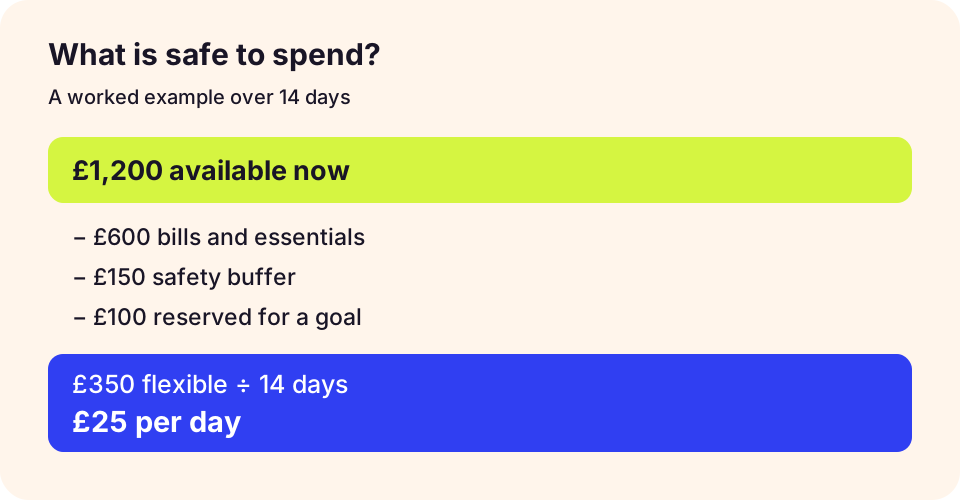
Check the workflow before choosing
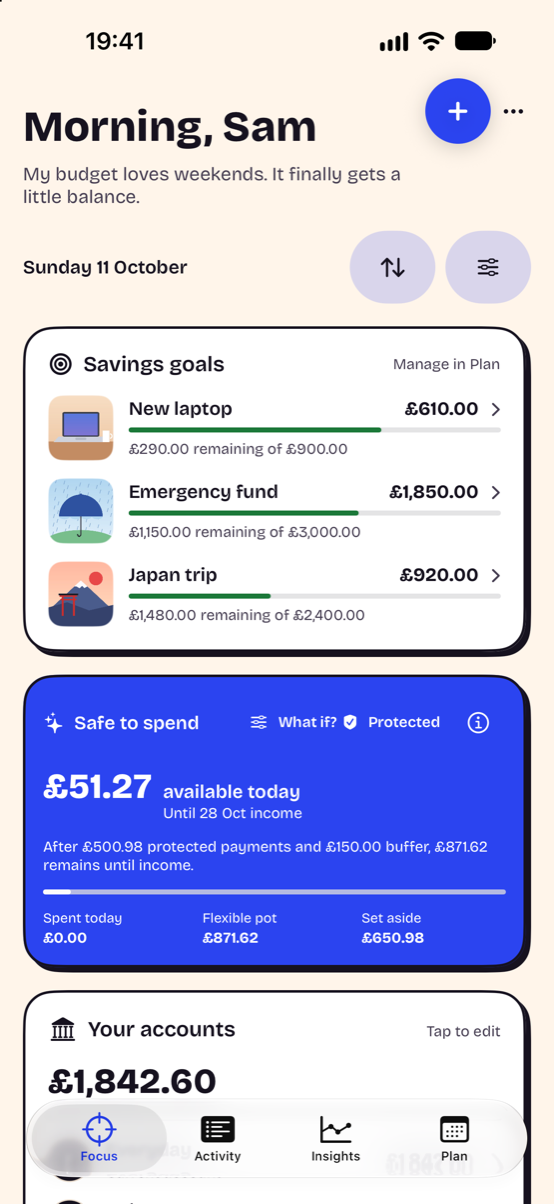
Try one full pay cycle with a starting balance, upcoming bills and a goal. Record a purchase, then check whether you understand the changed spending estimate. Headway’s screenshot uses demonstration data and does not show another app’s interface.
Read the safe-to-spend method, check the privacy checklist and explore Headway’s iPhone workflow.
Comparisons are written by Headway’s maker from current product information, not independent reviews.