1. Add your picture
Add accounts, income, expenses, bills, debt, subscriptions and goals. You can use manual entry and supported Apple actions.
2. Protect priorities
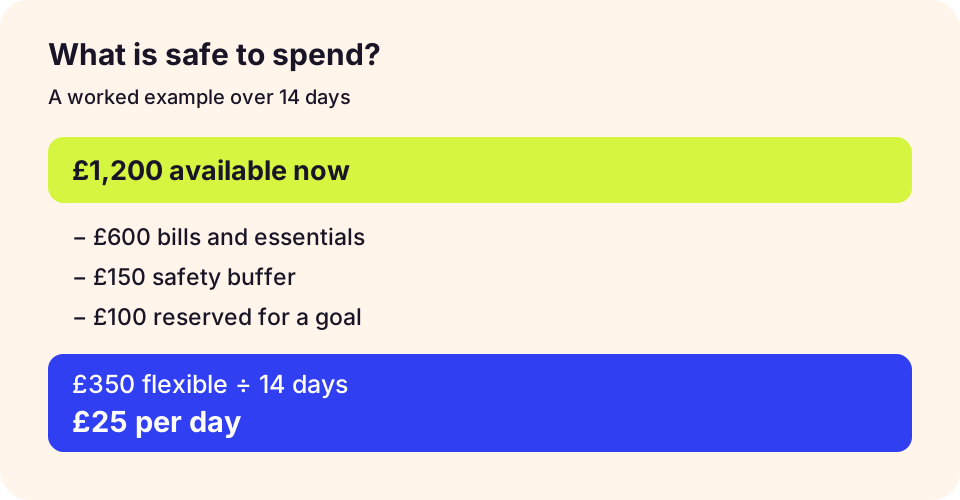
Headway looks at planned payments, essentials and savings goals before showing flexible spending.
3. Review the runway
Use spending views, cash flow, analytics and safe-to-spend planning to adjust as life changes.
Check the workflow before choosing
Try one full pay cycle with a starting balance, upcoming bills and a goal. Record a purchase, then check whether you understand the changed spending estimate. Headway’s screenshot uses demonstration data and does not show another app’s interface.
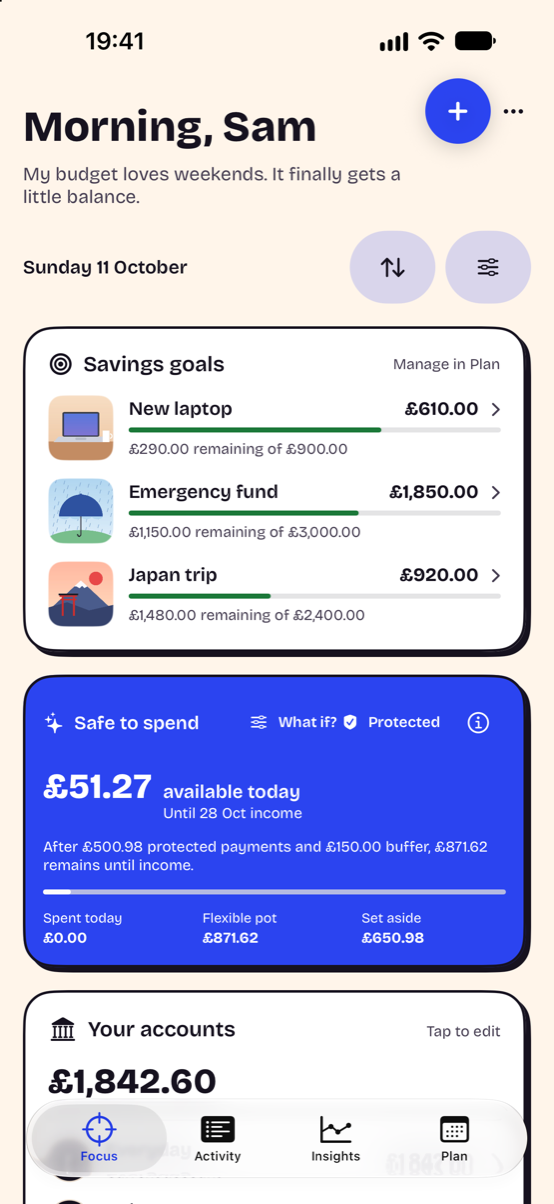
Read the safe-to-spend method, check the privacy checklist and explore Headway’s iPhone workflow.
Comparisons are written by Headway’s maker from current product information, not independent reviews. Read our editorial and corrections policy.